Features
Interaction
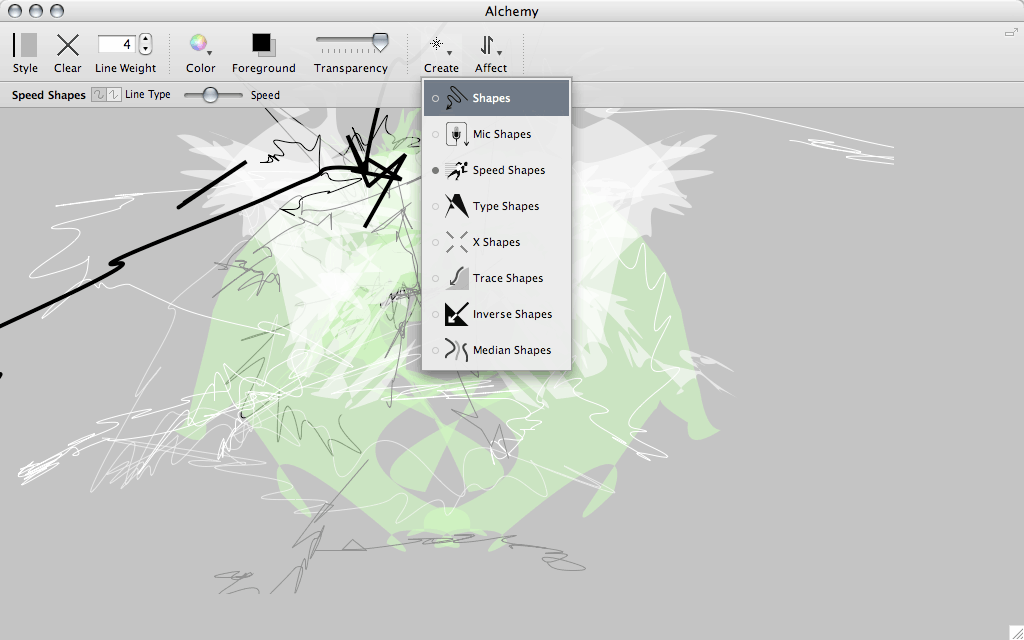
The Alchemy drawing canvas has an intentionally reduced level of functionality. No undo, no selecting, and no editing. Interaction focuses instead on the output of a great number of good, bad, strange and beautiful shapes.
To take a good look at what Alchemy can (and can not) do, check out the Videos section.
The Alchemy Interface
Modules
Alchemy consists of a growing number of ‘modules’ that can be added or removed at will. Using a given module you can do things like:
- Shout at the computer. Use your voice to control the width of a line or the form of a shape.
- Draw ‘blind’. Turn off the canvas display and explore what shapes emerge from the ‘darkness’.
- Create random shapes. Generate shapes that can be used as a starting point for characters, spaceships, or whatever shape you see in the ‘clouds’.
- Mirror draw. Draw mirrored symmetrical forms in realtime.
- Randomise. Mess up and distort shapes.
Global Features
Other global features place focus on the ‘process’ of drawing, letting you do things like:
- Record a drawing ’session’. Automatically save the contents of the canvas to a page in a PDF file at set intervals.
- Auto-clear the canvas. Start drawing on a clean slate at set intervals. Force yourself to start over fresh.
- Switch the canvas. Automatically open your sketch in a more ‘conventional’ drawing application, either as a bitmap or vector file.
- Avoid distraction. Alchemy has a very minimal interface, just a simple toolbar that dissapears magically, and a fullscreen mode to block everything else out.